Guide · Voice cooking
Hands-free cooking: follow a recipe without touching your phone.
Raw chicken on your fingers, flour up to the wrists, a screen that locks itself every thirty seconds. Here is every practical way to cook from a recipe without touching your phone, and how they compare.
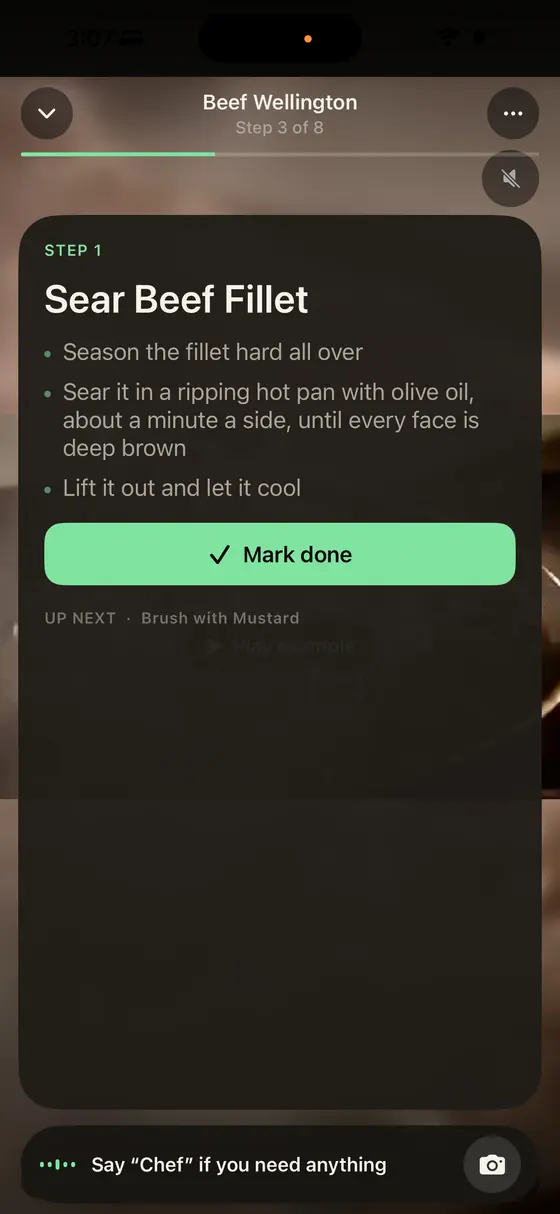
The most hands-free way to cook from a recipe is a voice cooking assistant: an app that reads each step aloud, listens for questions and runs timers by voice. Some only understand fixed commands like "next." Conversational AI chefs such as Polly in Glutt answer free-form questions about the recipe you are cooking. Prop the phone at eye level, keep the screen awake, and use earbuds or Meta glasses if the kitchen is loud.
Why cooking hands-free matters
It is not only about keeping your screen clean. FoodSafety.gov estimates that 1 in 6 Americans get sick from food poisoning each year and 128,000 are hospitalized, and its first rule is to wash your hands for at least 20 seconds, with soap, after handling raw meat, poultry, seafood or uncooked eggs. 1 A recipe that needs you to unlock and scroll your phone between steps turns that into a choice between food safety and following the recipe. Voice removes the choice.
The five ways to cook hands-free
| Method | How it works | Good at | Weak at |
|---|---|---|---|
| Conversational AI chef apps | An app reads the recipe aloud and answers free-form questions. Examples: Glutt (Polly), Suvio, Cookie Voice Recipes. | Real questions ("can I use olive oil instead?"), knows the recipe and step | Needs a data connection; most are subscriptions |
| Command-based recipe apps | Fixed voice commands like "next" and "repeat." Examples: SideChef, Pestle. | Predictable, fast, simple | Can't answer questions outside the commands |
| General voice assistants | Siri, Alexa, Google Assistant, ChatGPT Voice or Gemini Live, asked questions as you go. | Free, already on your devices, good for conversions and timers | Don't know your recipe or which step you're on |
| Smart glasses | Ray-Ban Meta or Oakley Meta glasses with Meta AI, or as a headset for a cooking app. | Truly hands-free, audio right at your ears, POV camera | Cost; Meta AI alone doesn't know your recipe |
| Gesture control | Wave or move a hand in front of the camera to advance steps. Example: Crouton. | Silent; works with a noisy extractor fan | Only moves between steps, no answers |
How to set up a hands-free kitchen
- Put the phone at eye level on a stand or propped against the backsplash, out of the splash zone but where you can glance at it.
- Keep the screen awake. A good cooking app does this for you in cook mode. Otherwise, lengthen Auto-Lock while you cook.
- Read the recipe once before you start. Voice help is for the middle of the cook, not for discovering at step 6 that the dough needed to rest overnight.
- Prep your mise en place. Chop, measure and open things first. Hands-free cooking goes smoothly when the hands-on work is done.
- Pick your audio. The phone speaker is fine in a quiet kitchen. With a loud extractor or a sizzling pan, AirPods or Meta glasses keep the conversation clear.
- Learn the wake word. In Glutt it is "Chef." With several assistants around, say the right name so the right one answers.
What to ask a voice cooking assistant
The questions that make voice worth it are the ones you would otherwise wash your hands to type:
- "What's the next step?" and "Say that again."
- "How much garlic was it?"
- "I don't have shallots. What can I use?"
- "Start a 12-minute timer for the pasta."
- "Is this oil hot enough?" (with a camera-enabled assistant)
- "How do I know when the onions are caramelized?"
- "Can I make this dairy-free?"
"Being able to cook hands free and ask questions verbally is a game changer."
darklightaisawa, App Store review of Glutt, July 29, 2026
How Glutt does hands-free cooking
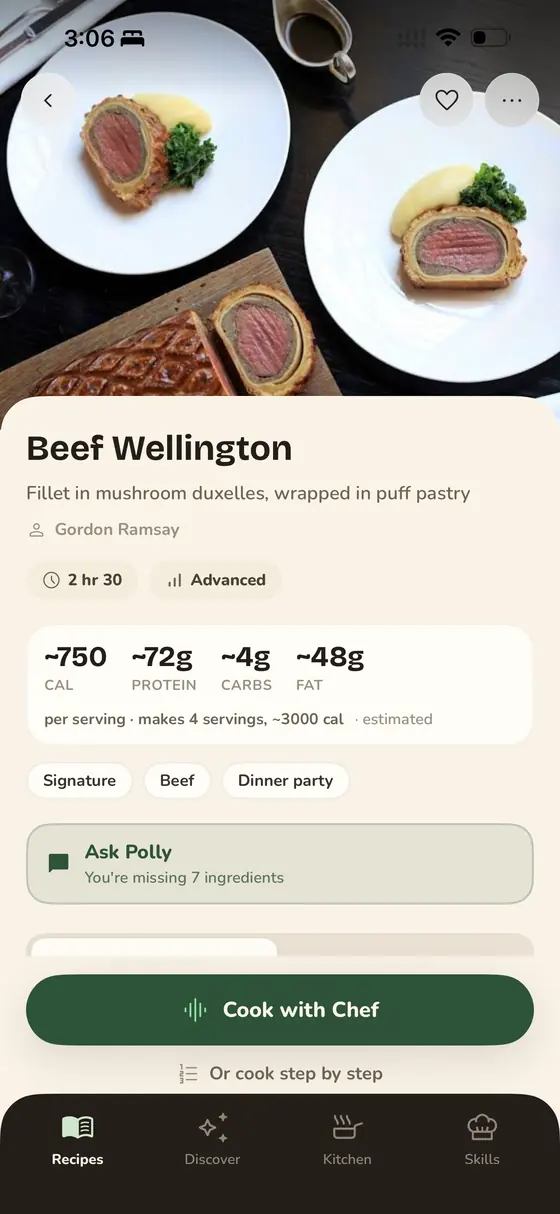
Glutt was built around this problem. Its AI chef, Polly, walks you through the recipe you saved, listens for "Chef," answers out loud, runs the timer for each step that needs one, and can look at the pan through your iPhone camera if you turn it on. Cook mode uses type big enough to read from across the counter. Here is what Polly can do.
Safety notes
- Use a thermometer for meat. The USDA's safe minimum internal temperature for poultry is 165°F. 2
- Keep cables and phone stands away from burners and the sink.
- With glasses on, step back from boiling pots before you lean in. Steam fogs lenses fast.
Frequently asked questions
What is the best hands-free cooking app?
For free-form questions while you cook, choose a conversational AI chef app such as Glutt, whose AI chef Polly answers out loud and knows the recipe you are cooking. For simple step navigation, a command-based app like SideChef works. If you are blind or have low vision, Cookie Voice Recipes is built around VoiceOver.
Can Siri or Alexa read a recipe to me?
They can answer questions and set timers, and some recipe apps offer Siri Shortcuts or Alexa skills. But a general assistant does not know which recipe or step you are on, so you end up repeating context. Dedicated voice cooking apps keep track of that for you.
Is there a cooking app that listens and answers questions?
Yes. In Glutt, you say "Chef" and ask anything about the recipe you are cooking: substitutions, doneness, the next step or a timer. Polly, the AI chef, answers out loud.
Does hands-free cooking work in a noisy kitchen?
Usually, if the microphone is close to you. AirPods, other Bluetooth headsets or Meta glasses put the microphone near your mouth and the audio in your ears, which works much better than a phone across the room.