Guide · Recipe organizing
Make your own digital cookbook.
Your recipes are scattered across bookmarks, screenshots, a group chat and your grandmother's handwriting. Here is how to get them into one cookbook you will actually cook from, and keep.
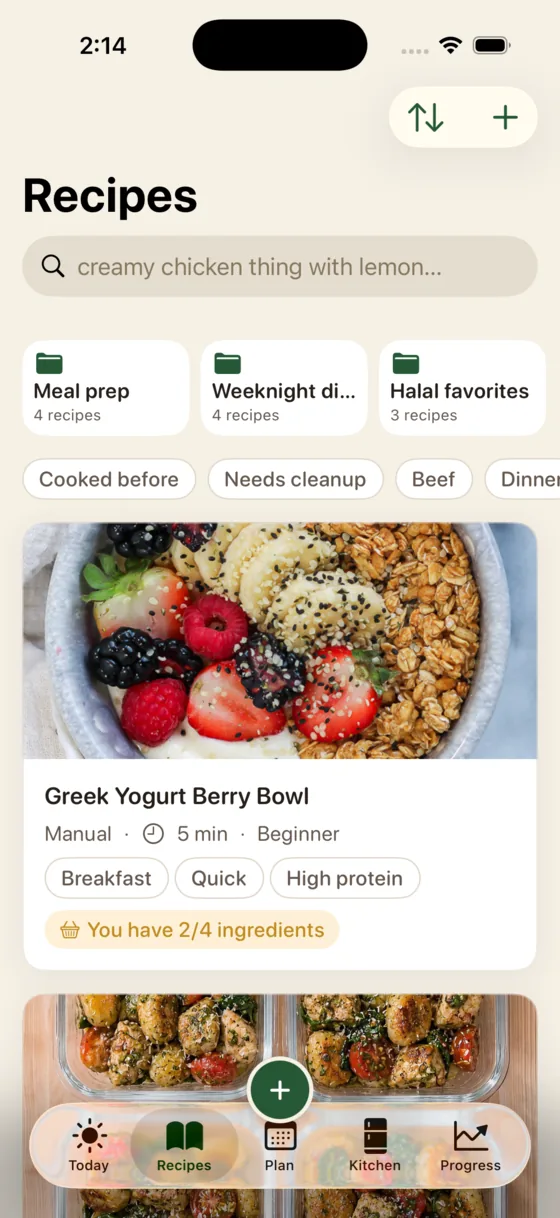
Pick one app to be the home for every recipe, import from links, videos and screenshots rather than retyping, and organize with a handful of collections you would actually say out loud ("weeknight", "people coming over"). Keep the full text inside the app, not just a link, so the cookbook survives when the original page is deleted. Glutt, ReciMe, Paprika, Crouton and Mela all do this; they differ in what happens after the recipe is saved.
Step 1: choose one home, and accept the trade-off
The only fatal mistake is spreading recipes across three places. Any of the good apps beats a mix of bookmarks and screenshots. What you are really choosing between:
| If you want… | Look at | Trade-off |
|---|---|---|
| Buy once, own forever, every platform | Paprika 3 | Little AI; websites only, no video extraction |
| The best social-media importing | ReciMe, Flavorish | Organizers first; no help while you cook |
| Apple-native design and polish | Crouton, Mela | Apple devices only |
| A cookbook that also cooks with you | Glutt | iPhone only; subscription |
Step 2: get the recipes in without retyping
Each source has a fastest path:
- Websites: share the page to your app. A good importer keeps the ingredients and method and drops the life story.
- TikTok, Instagram and YouTube: share the video. If the method is only spoken aloud, Glutt transcribes it. Full walkthrough.
- Screenshots in your camera roll: import the image and let the app read the text.
- Cookbooks and handwritten cards: photograph the page. Handwriting is where importers struggle most, so check the quantities after.
- Recipes in your head: type the short version now. "Roast chicken, 220°C, 50 minutes, rest 15" is a real recipe and beats losing it.
Import the text, not just the link. Blogs get deleted, accounts go private and links rot. If your cookbook only stores a URL, it will quietly empty itself over a few years.
Step 3: organize for how you decide, not how you cook
Most people file recipes by cuisine or course, then never open those folders, because at 6 pm the question is not "what Italian dish?" but "what can I make tonight that won't take an hour?" Collections that actually get used tend to sound like:
- Weeknight (under 30 minutes, no shopping)
- People coming over (looks like effort, can be made ahead)
- Cook once, eat all week
- Proven — the ones you have made and would make again
That last one matters most. A cookbook of untested saves is a wish list. Mark what you have actually cooked, and the collection becomes the thing you open first.
Step 4: make it findable
- Rename honestly. "Marry Me Chicken" is a brand; "creamy sun-dried tomato chicken" is what you will search for.
- Tag by constraint, not by feeling: time, pan needed, who eats it.
- Add the source so you can credit the creator, and find the original video when a step is unclear.
- Write a one-line note after cooking: "halve the chili", "needed 10 more minutes". This is what turns a saved recipe into your recipe.
Step 5: let the cookbook do something for you
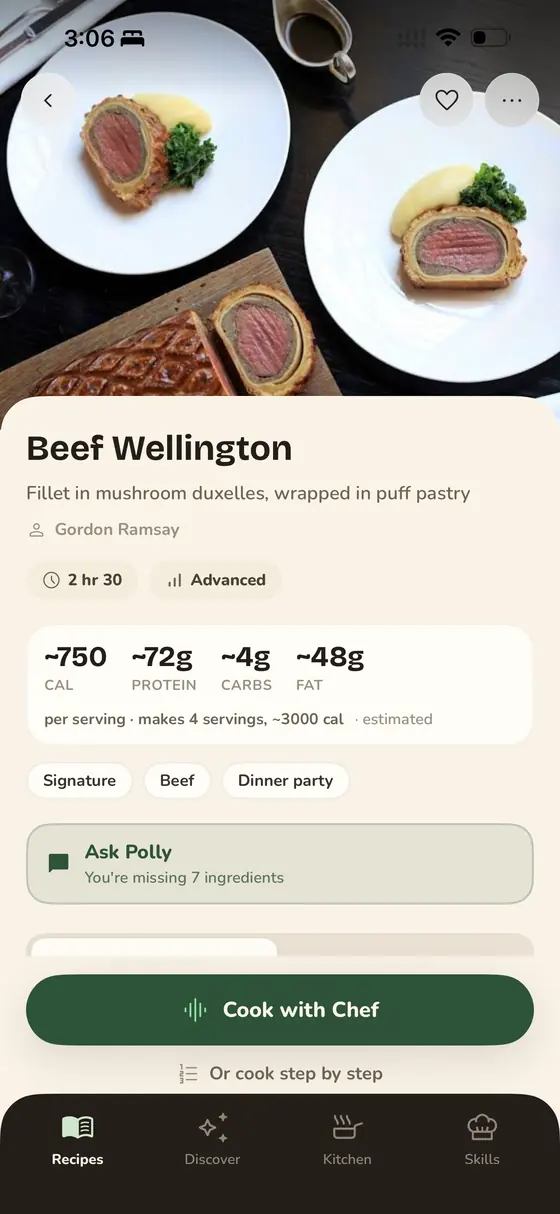
A pile of recipes is still work. The useful version connects to the rest of your kitchen: which of these can I make tonight with what I have, what goes on the shopping list, and who talks me through it when I am cooking. In Glutt, every saved recipe carries a pantry match, the missing items go straight to the grocery list, and Polly reads the steps aloud while you cook. See also cooking with what you have.
Keeping it yours
- Check that you can export. Before you commit years of saves, look for an export option. Mealime's shutdown left people with no way to get recipes out. What that looked like.
- Prefer apps that store full text on your device or account, not just links.
- Back up the irreplaceable ones. Family recipes deserve a photo of the original card somewhere else too.
Frequently asked questions
What is the best app to make your own cookbook?
Paprika if you want to buy once and keep it on every platform, ReciMe or Flavorish for the best social-media importing, Crouton or Mela for Apple-native design, and Glutt if you want the cookbook to also check your pantry and talk you through cooking.
How do I save recipes from the internet in one place?
Use the share sheet. Open the page or video, tap Share, and pick your recipe app. Good importers turn it into ingredients and steps, so you keep the recipe even if the original disappears.
How do I digitize handwritten family recipes?
Photograph each card in good light and import the photo. Most recipe apps read printed text well and handwriting less well, so check quantities afterwards, and keep the original photo attached for sentimental value.
How should I organize my recipes?
By the decision you are making, not the cuisine: weeknight, people coming over, cook once eat all week, and proven favourites. Then tag by time and equipment so you can filter on a Tuesday.
Can I print a digital cookbook?
Some recipe managers export to PDF for printing. Check for an export feature before you commit, both for printing and so your recipes outlive the app.