Guide · Recipe import
Save recipes from TikTok, Instagram and YouTube, and actually cook them.
The average saved-recipe folder is a graveyard: reels you liked, screenshots you never opened, links that now lead nowhere. Here is how to get recipes out of social media and into a form you can cook from.
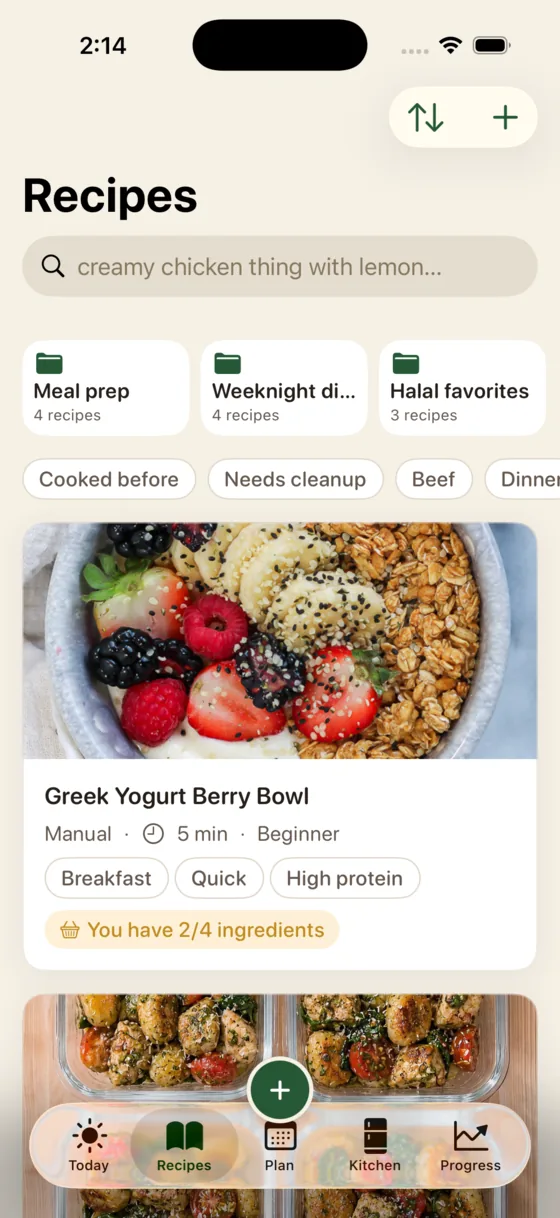
The fastest way is to share the video straight to a recipe app. In Glutt, tap Share on the TikTok, Instagram or YouTube video, choose Glutt, and it becomes a clean recipe with ingredients, steps and timings. If the method is only spoken in the video and never written down, Glutt listens to it and writes it out. Screenshots and recipe websites work the same way.
Why "save" buttons don't work for recipes
TikTok's Favorites, Instagram's Saved and YouTube's Watch Later are built to bring you back to a video, not to help you cook it. When you are standing at the stove you want an ingredient list and numbered steps, not a 45-second clip to scrub through with wet hands. And a surprising number of cooking videos never write the recipe down at all: the quantities are said out loud once, over music.
Three ways to save a TikTok recipe to your phone
"Saving it to your phone" can mean three different things, and they are not equally useful later:
| Method | What you end up with | Good for |
|---|---|---|
| Favourite it in TikTok | A video in a list, still inside TikTok | Nothing, really. This is where recipes go to be forgotten |
| Screenshot or download the video | An image or clip in your camera roll | Keeping it if the post gets deleted, but you still have to read it back |
| Share it to a recipe app | Ingredients, steps and timings as text you can cook from | Actually cooking it. This is the one worth doing |
On an iPhone, all three start from the same Share button on the video. On Android the share sheet looks different but works the same way; the limitation is which apps are installed. Glutt is iPhone only, so Android users want ReciMe or Flavorish instead.
How to save a recipe from TikTok
- Open the video and tap Share.
- Choose Glutt from the share options. If you don't see it, tap More to open the iPhone share sheet, and add Glutt to your favorites there once.
- Glutt pulls out the ingredients, steps and timings. If the recipe is only spoken, it transcribes the audio.
- Check the result, fix anything the creator mumbled, and save.
How to save a recipe from Instagram Reels
- Open the reel or post and tap the share (paper plane) icon.
- Choose Share to or More to reach the iPhone share sheet, then pick Glutt.
- Glutt reads the caption and the video, and builds the recipe.
Alternatively, tap Copy link in Instagram and paste the link into Glutt's import screen.
YouTube, Reddit and recipe websites
The same share-sheet flow works from YouTube, Reddit and Safari. On a recipe website, Glutt skips the life story and the pop-ups and keeps the ingredients and the method.
Screenshots and photos
If the recipe is on a screenshot, a photo of a cookbook page or a card from a family member, add the image to Glutt and it reads the text into a recipe.
From saved to cooked
Saving is the easy part. What gets the recipe made:
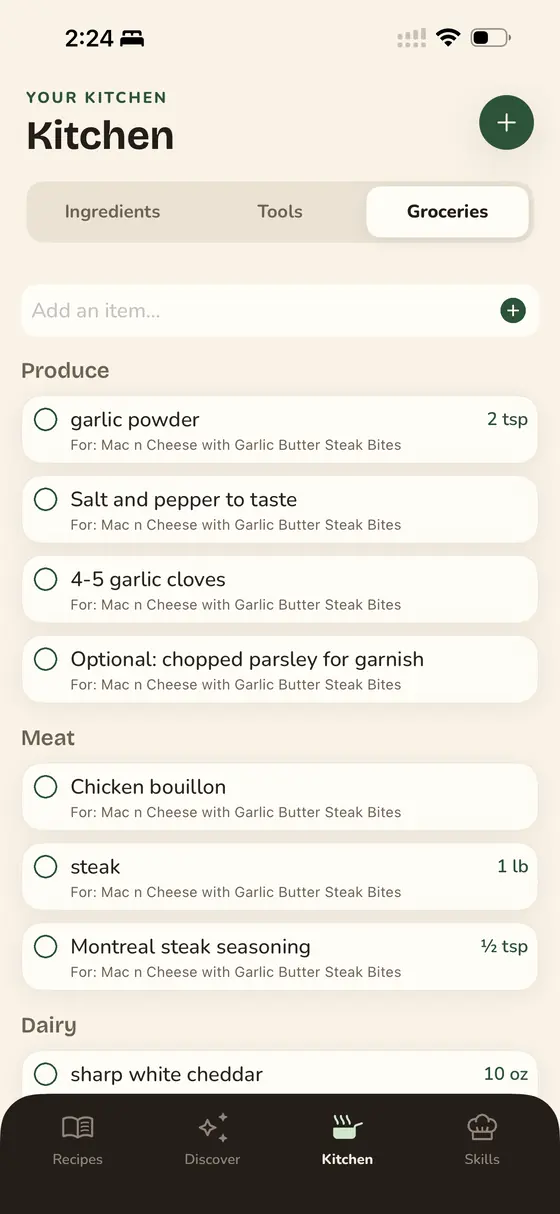
- A pantry check. Glutt knows what is in your fridge and pantry, tells you what the recipe is missing before you start, and suggests substitutes.
- A grocery list that builds itself from what is actually missing.
- Hands-free cooking. Cook the saved recipe with Polly, Glutt's AI chef, who reads each step aloud and answers questions.
- Calories and protein per serving, scaled to the servings you actually make.
Other apps that save recipes from social media
Glutt is not the only option, and it is fair to say so. ReciMe and Flavorish are popular organizers built around social imports. Paprika is a long-standing, buy-once recipe manager for websites. Pestle imports from Instagram and TikTok and adds voice commands. Our comparison of AI cooking apps covers how they differ. Glutt's difference is what happens after the import: a pantry that knows what you have, and a live AI chef to cook it with.
Frequently asked questions
What app can save recipes from TikTok videos?
Several can, including Glutt, ReciMe, Flavorish and Pestle. In Glutt you share the TikTok to the app and it builds the recipe, and if the method is only spoken in the video, Glutt listens and writes it down.
How do I save a recipe from TikTok to my phone?
Tap Share on the video, then pick a recipe app from the share sheet (tap More the first time to find it). The app pulls out the ingredients and steps so you have text to cook from rather than a video to re-watch. Screenshotting also works, and a good recipe app can read the screenshot back into a recipe.
How do I save TikTok recipes without saving the video?
Import the recipe instead of the clip. Sharing the video to an app like Glutt stores the ingredients, steps and timings as text, which survives the post being deleted and is readable while you cook.
Can an app get a recipe from a video with no written recipe?
Yes. Glutt transcribes the spoken method from the video and turns it into ingredients and steps. Check the quantities afterwards, because creators sometimes round or skip them.
Can I save recipes from Instagram without the link breaking later?
Yes. Once a recipe is imported into Glutt, the ingredients and steps live in the app, so the recipe stays usable even if the original post is deleted or made private.
Does Glutt work with Pinterest?
If a pin links to a recipe website, open the website and share that page to Glutt. Glutt imports from any recipe site.
Is Glutt available on Android?
Not currently. Glutt is an iPhone app for iOS 17.2 or later.